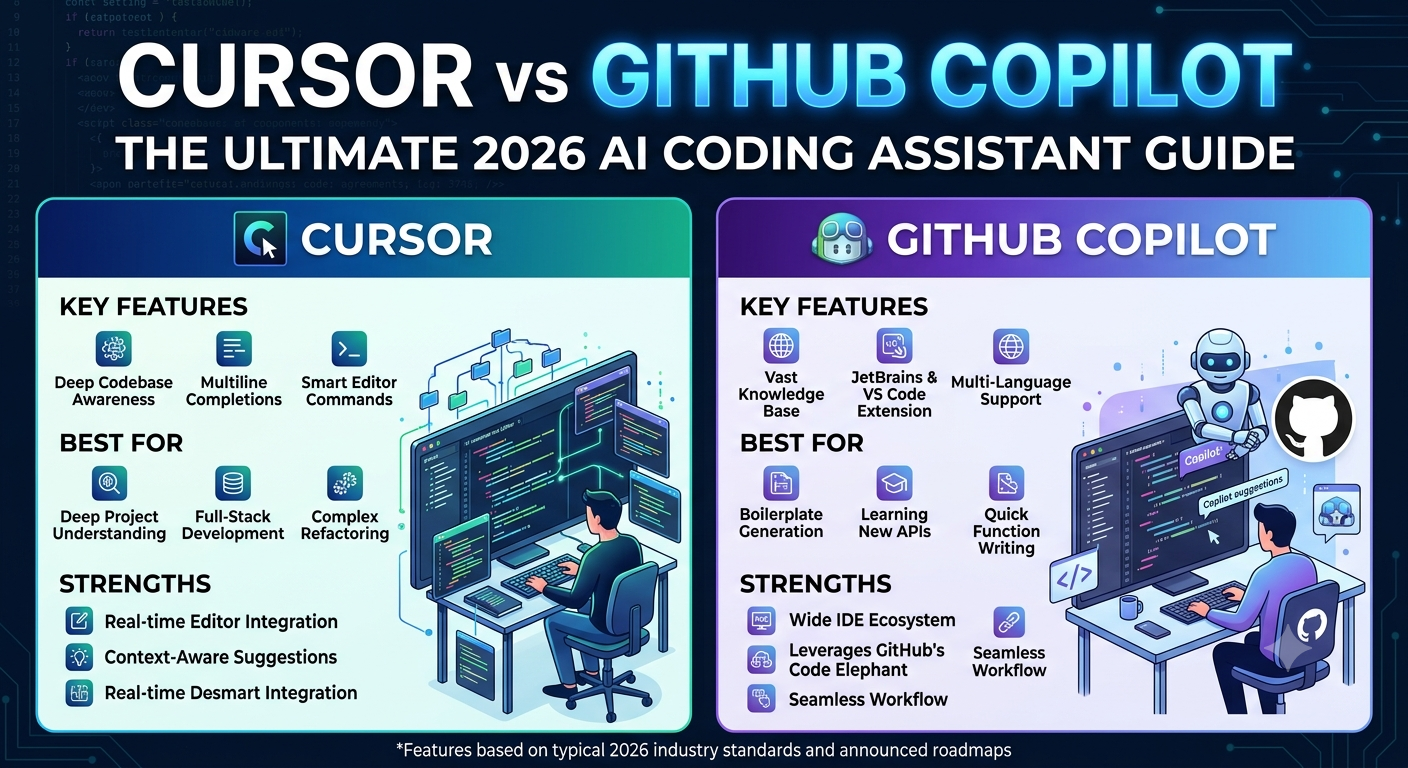
Choosing the right AI-powered coding tool is no longer just about quick code snippets—it’s about fundamentally transforming how you build software. Two names dominate the modern developer ecosystem in the Cursor vs GitHub Copilot debate.
While both promise to automate boilerplate, speed up debugging, and accelerate feature delivery, they operate on completely different philosophies.
In this comprehensive guide, we dive deep into their core architecture, multi-file refactoring abilities, repository context handling, pricing models, and real-world developer workflows to help you make the right choice in the Cursor vs GitHub Copilot comparison.
Architectural Differences: Cursor vs GitHub Copilot
When evaluating Cursor vs GitHub Copilot, the fundamental split comes down to how they fit into your workspace: a standalone IDE vs. an editor extension.
- Cursor (The Standalone AI-First IDE): Cursor stands out as a custom fork of Visual Studio Code that places artificial intelligence at the very core of the editor. Because it controls the entire application shell, it can index your local folders, execute terminal commands, and maintain active context windows across every file in your project simultaneously. You can explore installation details directly on the official Cursor IDE portal.
- GitHub Copilot (The Multi-IDE Extension): Conversely, Copilot operates as a plugin that attaches to your existing setup. Whether you rely on VS Code, JetBrains (IntelliJ, PyCharm), Neovim, or Visual Studio, Copilot blends into your current environment without requiring a new software migration. Learn more via the official GitHub Copilot extension page.
Feature Comparison Matrix
| Feature Metric | Cursor IDE | GitHub Copilot |
| Integration Model | Standalone IDE (VS Code Fork) | Extension for VS Code, JetBrains, Neovim, etc. |
| Codebase Context | Full Repository Semantic Indexing (@codebase) | Active Tabs & Scoped Knowledge Bases |
| Multi-File Refactoring | Native Composer Mode (Parallel Edits) | Agent Mode / Workspace (Task-Based) |
| Model Flexibility | Multi-Model (Claude, GPT, Gemini) | Multi-Model (GPT, Claude, Gemini Picker) |
| Starting Price | Free Tier / $20/month Pro | Free for Students / $10/month Pro |
💡 Related Reading: Since both platforms allow you to switch between top-tier AI models, choosing the right underlying engine is crucial for your coding workflow. Read our detailed comparison: Claude 3.5 Sonnet vs ChatGPT-4o: Which AI is Better for Coding in 2026?
Repository Context & Multi-File Edits
Understanding your entire codebase is where the separation between Cursor and GitHub Copilot becomes most apparent.
Cursor: Context Awareness via Composer
In large, complex projects, Cursor uses local vector embeddings to index your repository. When you use commands like @codebase or open the Composer interface, it reads dependencies, routing files, and database schemas together. Prompting Cursor to “Add a user profile field with database migrations” allows it to edit your API routes, database schemas, and front-end components across 10+ files in a single pass.
GitHub Copilot: Focused Inline Assistance
For daily autocomplete tasks, GitHub Copilot excels at rapid inline completions. As you type a function signature or docstring, Copilot generates instantaneous suggestions. While Copilot Chat and Workspace allow multi-file changes, its primary design prioritizes single-file focus and low latency over sweeping system-wide refactoring.
Enterprise Governance and IP Indemnity
When analyzing tools for corporate environments, technical capability is only half the battle; legal safety and administrative controls matter just as much.
- GitHub Copilot for Enterprise: Backed by Microsoft, Copilot holds a distinct advantage in corporate settings by offering IP Indemnity on Business and Enterprise tiers. Compliance details can be reviewed in the official GitHub Enterprise documentation. This protects organizations against potential copyright claims on AI-generated code.
- Cursor for Teams: Cursor’s business plans provide enterprise-grade data privacy options (preventing your code from being used for model training) along with central billing, RBAC, and audit logs.
Pricing and Cost Efficiency
Both platforms feature tiered plans utilizing a token-based AI Credits model:
- GitHub Copilot Pricing Tiers:
- Pro ($10 / month): Includes unmetered inline code completions plus $15 in monthly AI Credits for Chat, Agent mode, and code review.
- Pro+ / Max ($39 – $100 / month): Designed for heavy agent workflows, offering $70 to $200 in monthly AI Credits and access to frontier reasoning models.
- Business ($19 / user / month): Organization-wide seat management with pooled usage and policy controls.
- Students & Open Source: Free access options are available via GitHub Education.
- Cursor Pricing Tiers:
- Hobby (Free): Basic trial access with limited monthly agent requests.
- Pro ($20 / month): Unlimited tab autocomplete, unlimited Auto mode routing, and a $20 monthly usage credit pool for custom model selection.
- Pro+ / Ultra ($60 – $200 / month): Expanded credit pools (up to $200 pool) tailored for power users running continuous multi-file agents.
- Teams ($40 / user / month): Team billing, shared repository rules, and centralized admin visibility.
When weighing entry-level pricing alone, Copilot Pro is lower at $10/mo compared to Cursor’s $20/mo Pro tier.
Real-World Workflow Examples
Scenario A: Writing Boilerplate and Unit Tests
If you need to generate regular expressions, utility functions, or standard unit tests within an existing file, Copilot is ideal because it suggests inline completions mid-keystroke naturally.
Scenario B: Migrating Legacy Frameworks
If you are updating an Express.js app to Next.js App Router Documentation, the comparison heavily leans toward Cursor. Its multi-file reasoning engine plans the migration, applies edits across the directory structure, and reports terminal errors back to the AI for self-healing.
Final Verdict
The ideal choice in the Cursor vs GitHub Copilot comparison ultimately depends on your project complexity and development style:
- Choose Cursor if: You build complex multi-file web apps, perform frequent codebase refactoring, and prefer an AI-native workspace.
- Choose GitHub Copilot if: You want an affordable assistant ($10/mo), prefer staying in your existing IDE, or require enterprise IP protection.
In the end, comparing Cursor vs GitHub Copilot shows that both tools represent massive evolutionary leaps. Many engineering teams adopt a hybrid approach: using GitHub Copilot for day-to-day code completions and turning to Cursor during intensive architectural overhauls